
Getting tokek slot on your mobile device
Our tokek slot platform supports three installation methods. Android users can download our APK file directly from our website and install it on their device. iOS users access tokek slot through Safari or Chrome without needing a separate app installation—the mobile web version functions as a full-featured app. Android users can also choose to use the mobile web version instead of the APK if they prefer.
Direct APK installation on Android gives you faster load times, offline-cached content, and push notifications for Liga 1 match updates and withdrawal confirmations. Browser access on iOS and Android is simpler and requires no file-permission changes, but loads content from the server each time you open tokek slot.
Installation steps for tokek slot on Android
- Download the tokek slot APK file from our website using your Android device's browser.
- Open your device settings, navigate to Security, and enable "Install from Unknown Sources" (or "Unknown Apps" depending on your Android version).
- Locate the downloaded APK file in your Downloads folder and tap it to begin installation.
- Once installed, open tokek slot, create your account with your government ID and bank details, and complete KYC verification.
Android installation requires you to enable installation from sources outside Google Play. This is a system-level security setting on your device, not a tokek slot configuration. After installation completes, you can disable the setting if you prefer. The tokek slot app itself is verified and secure; we do not request any permissions beyond what is necessary for payment processing, account management, and push notifications.
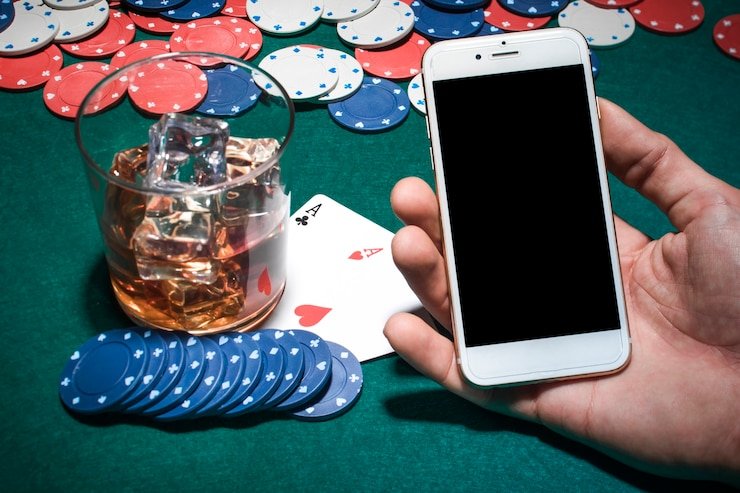
iOS access through mobile browser
iOS users do not need to download or install anything beyond their default browser. Open Safari or Chrome on your iPhone or iPad, navigate to our website, and add tokek slot to your home screen for quick access. The mobile web version supports all features: deposit via OVO, e-wallet, mobile banking, local payment, online payment, and bank transfers; live sports betting on Liga 1 and Piala AFF; live-dealer games; and slot games such as Aviator, Sweet Bonanza, and Gates of Olympus.
Browser access means you do not need to enable any unusual security settings or grant permission to install files. You simply visit tokek slot, log in, and begin using the platform immediately. Your account, balance, and transaction history are synchronized across all access methods—if you deposit via the iOS browser today and later install the Android APK, your balance and bets are identical on both.
tokek slot works on any modern browser
iOS Safari, Android Chrome, Firefox, and Opera all support our platform. No special browser extensions or plugins are required. Simply visit our website and log in.
App versus browser access for tokek slot
The tokek slot Android APK installation offers faster performance due to cached assets—your Liga 1 match odds, live-dealer table feeds, and slot-game graphics load instantly because they are stored locally on your device. The APK also receives push notifications for match events, deposit confirmations, and withdrawal completions. These notifications alert you in real time, so you do not miss a Piala Indonesia update or a withdrawal confirmation from e-wallet, mobile banking, or your bank.
Browser access via iOS or Android web browsers does not require file installation and avoids the "unknown sources" security step. Each page and image loads from our servers, which means slower initial load times but no local storage of your data on your device. Browser access is simpler to set up and requires no special permissions.
Both methods are equally secure for account management and payment processing. Your login credentials, bank details, and transaction data are encrypted in transit regardless of whether you use the APK or browser. Choose the method that fits your device and preferences.
Device compatibility for our tokek slot app and platform
Our Android APK requires Android 7.0 (API level 24) or higher. Most Android devices released in the past six years meet this requirement. If your device runs Android 6 or earlier, you can still access tokek slot through a mobile browser instead of installing the APK.
iOS browser access requires Safari or a compatible third-party browser on iOS 12 or later. iPhone, iPad, and iPod Touch devices running iOS 12 and above can all access tokek slot without installing anything. No separate iOS app is necessary; the mobile web version provides full functionality for deposits, withdrawals, and gaming.

Troubleshooting common tokek slot installation issues
If your Android device shows "Installation blocked" when you try to install the tokek slot APK, go to Settings > Apps > Special app access > Install unknown apps, find your browser, and toggle the permission on. Some devices label this "Unknown Sources" or "Untrusted Apps." After enabling the setting, restart the installation. Once tokek slot is installed, you can disable the setting again if you wish.
If you see "Certificate validation failed" during installation, your device may have an incorrect system date or time. Check Settings > Date and Time, ensure both are set correctly (this is critical for verifying our APK signature), and try again. If the error persists, clear your browser cache and re-download the APK file.
For iOS users on Safari, if tokek slot pages load but buttons do not respond, try clearing your browser cache (Settings > Safari > Clear History and Website Data) and reopening the site. If you experience persistent issues, contact our support team via the in-platform messaging system; provide your device model, operating system version, and a description of the problem.
Key takeaways
- Android users download and install our APK; iOS users access tokek slot via browser
- APK installation requires enabling "Install from Unknown Sources" in device settings
- Both methods support deposits via local payment, online payment, e-wallet, mobile banking, local payment, online payment, e-wallet, mobile banking, local payment, online payment
- APK offers offline caching and push notifications; browser access is simpler to set up
- Android 7+ and iOS 12+ are minimum requirements; older devices can use browser access
Data, permissions, and account security on tokek slot
When you install our Android APK, tokek slot requests permission to access your device ID (for fraud prevention and account linking), send notifications (for match updates and withdrawals), and access basic device information such as storage and network status. We do not request access to your contacts, photos, or files beyond what is necessary for account operation.
Your bank account details, ID number, and gaming history are encrypted and stored securely on our servers, not on your device. The APK itself contains no cached copies of sensitive data. Push notifications are sent via secure channels and contain only non-sensitive information such as "Your withdrawal has been processed" or "Liga 1 match odds updated."
Account security depends on your login credentials. Use a strong, unique password and do not share your account with others. If your device is lost or stolen, you can log into tokek slot from another device, change your password, and disable access to your account. Your balance remains protected in the tokek slot system and cannot be accessed without your login credentials.